Search for a professional karaoke machine and you’ll quickly find two very different worlds. On one side, there are polished all-in-one machines that offer a meaningful step up from basic consumer systems — practical for home users who want better results without building a full AV rig. On the other side, genuinely professional karaoke setups are rarely a single device at all. They’re assembled from several separate components: a computer, dedicated software, a mixer, speakers and microphones, each chosen for its specific role.
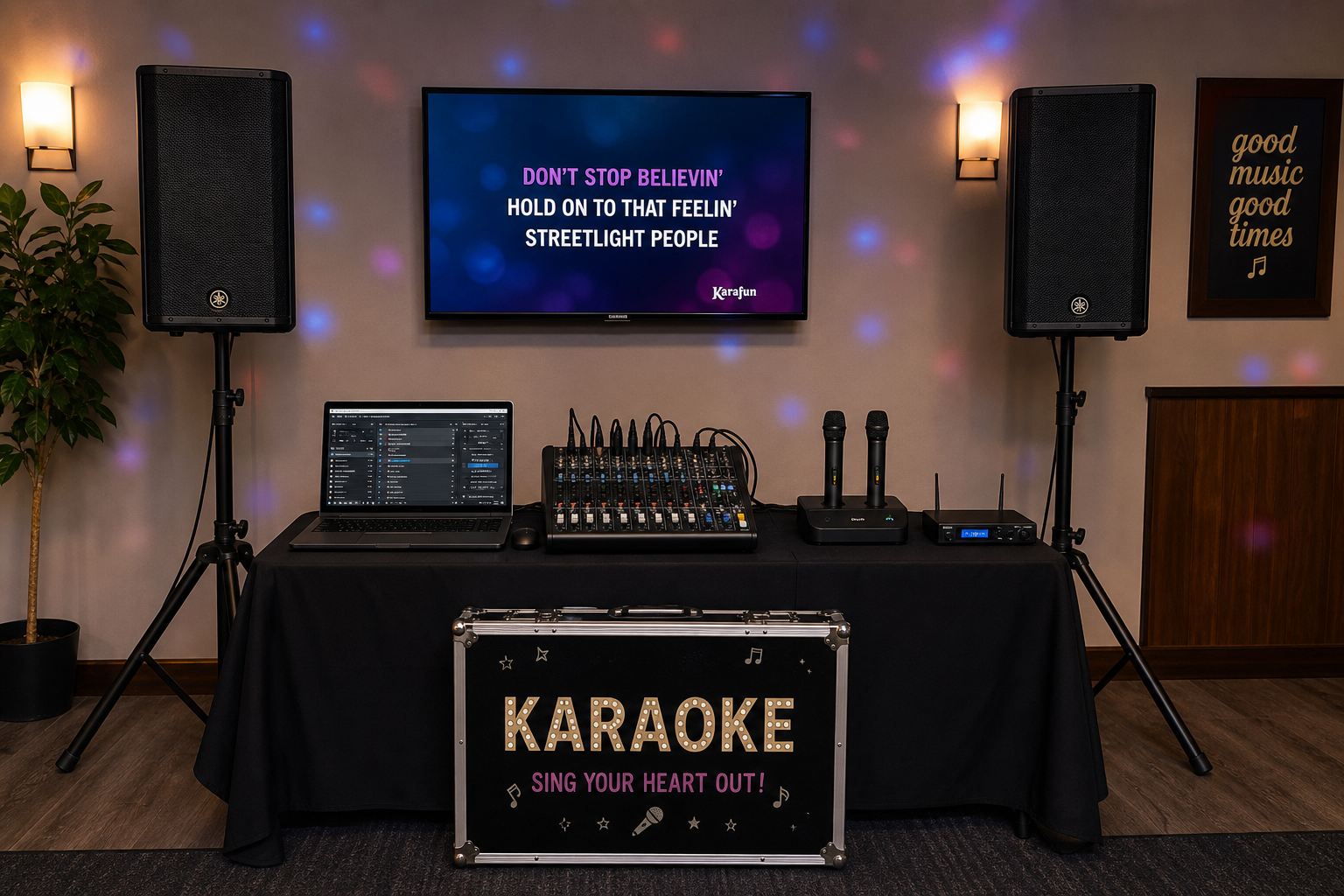
This guide covers both approaches. It explains what separates a professional karaoke setup from an ordinary one, walks through each core component with practical recommendations, and helps you decide which route makes sense based on your budget, room size and how often you plan to use it.
What Makes a Karaoke System Professional?
A professional karaoke system isn’t defined by a price tag or a brand name. It’s defined by how it performs under real conditions — and whether it holds up reliably when there’s an audience involved.
- Sound clarity and headroom — The PA and microphones handle loud, unpredictable vocals without distorting or clipping. A professional system has enough power in reserve that it never sounds strained.
- Reliability — Hardware and software behave consistently, every time.
- Flexibility and scalability — Professional systems are typically modular, meaning individual components can be upgraded, rerouted or replaced independently.
- High-quality backing tracks — The karaoke library is built on well-produced instrumentals, not cheap approximations of the original recordings.
- Appropriate display — Lyrics are clearly visible to both performer and room, not just on a small tablet screen.
- Durability and suitability — Equipment is matched to its intended use, whether that’s a home setup, a dedicated karaoke room or a commercial event.
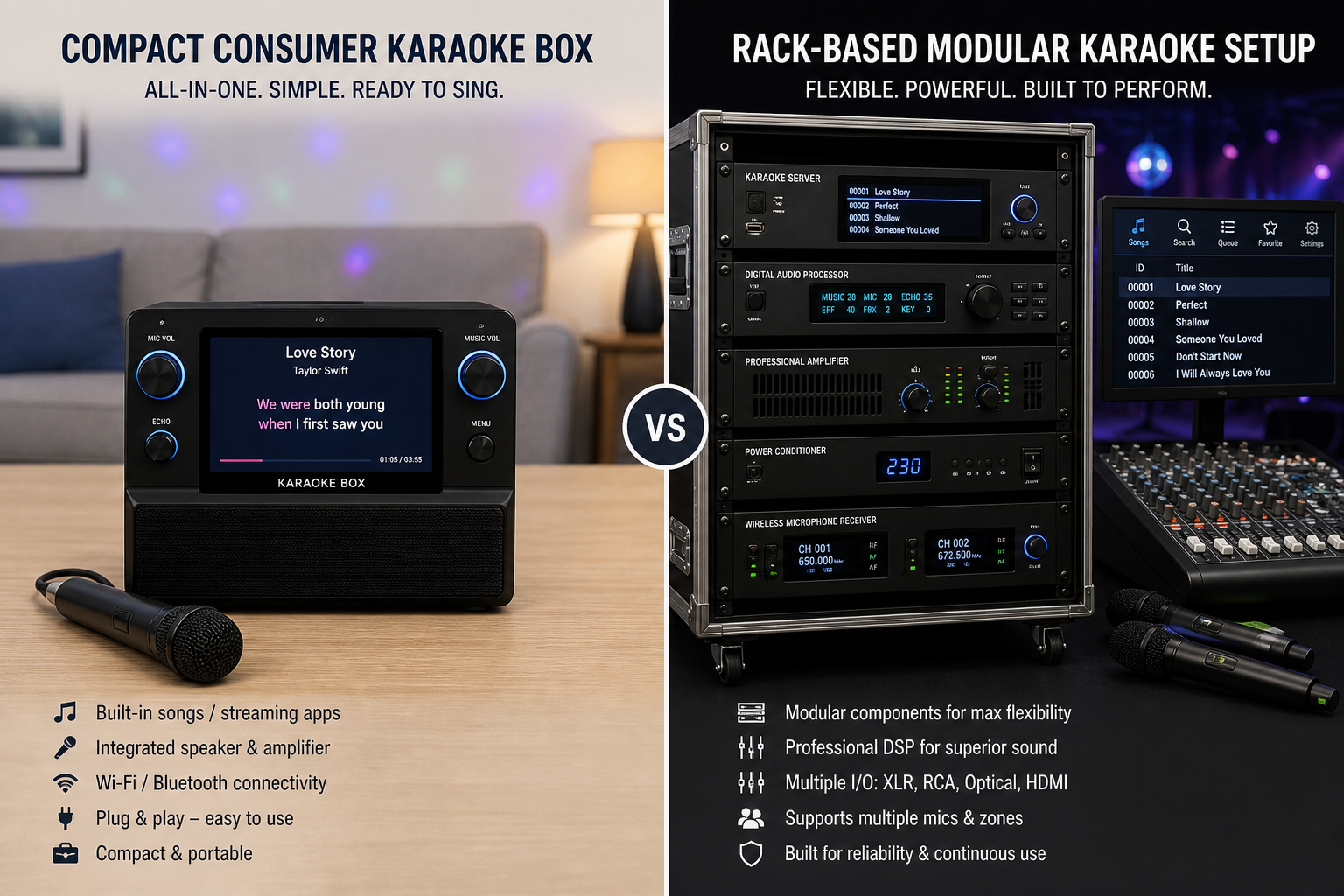
Most of these differences come down to component choices rather than any single device.
All-in-One Machines vs a Modular Professional Karaoke System
The right choice depends on how you plan to use the system and how much control you want over the result.
All-in-one karaoke machines bundle everything — player, library, outputs and sometimes a screen — into a single unit. They’re straightforward to set up, require no specialist AV knowledge and take up minimal space. For casual home use, an all-in-one is often entirely sufficient.
The trade-off is flexibility. All-in-one machines are closed systems, so upgrading individual parts — better speakers, a different microphone, a more capable software library — is limited or not possible.
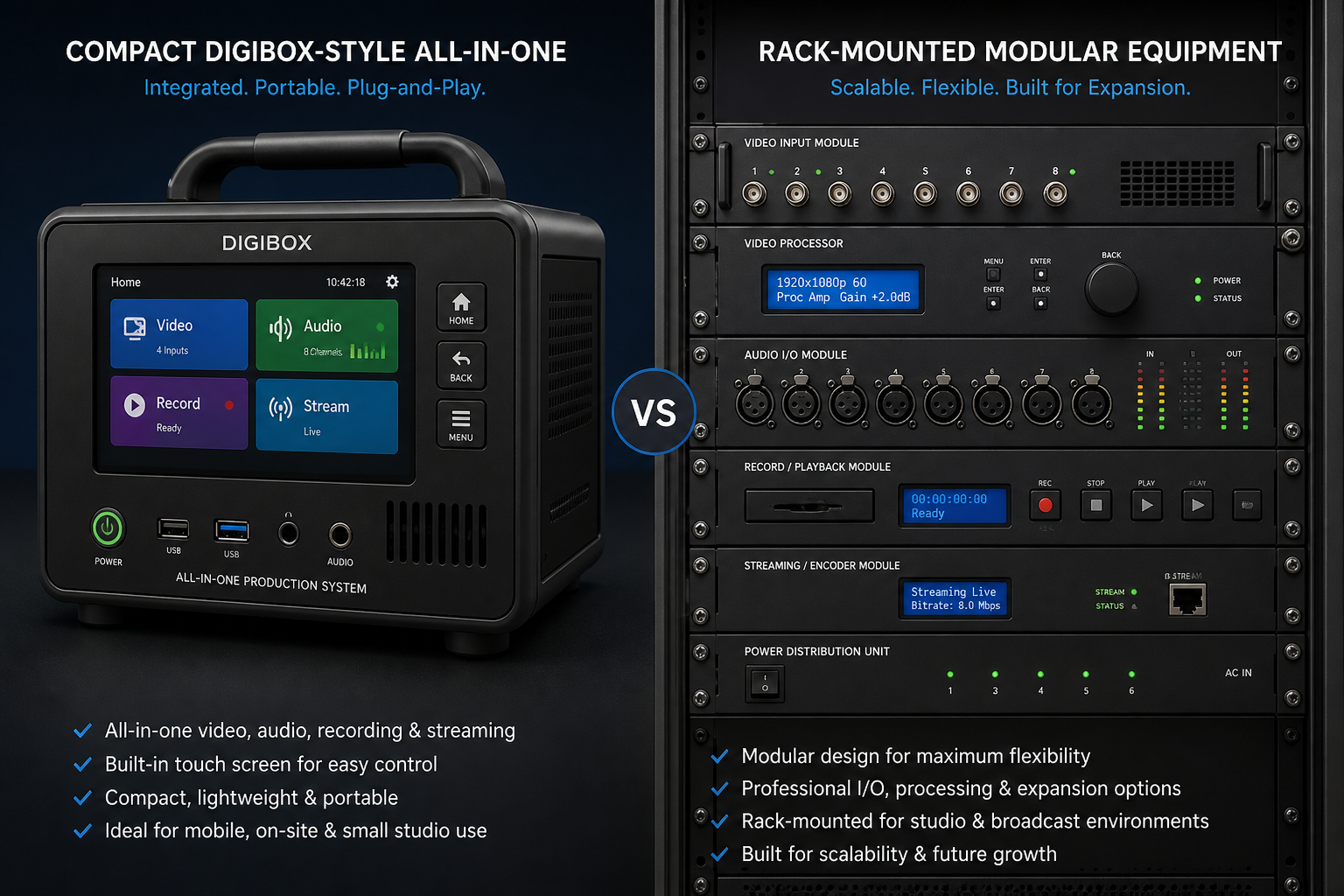
Modular karaoke systems, built from separate components, offer far greater control. You can choose the best microphone for your room, pair it with appropriately sized speakers and swap out any element as your needs change. This is the approach used in professional venues, where reliability and scalability matter more than convenience.
The initial cost of a modular system is typically higher, but individual components can be upgraded incrementally rather than replaced as a whole.
Mr Entertainer Digibox Pro: A Capable All-in-One Option
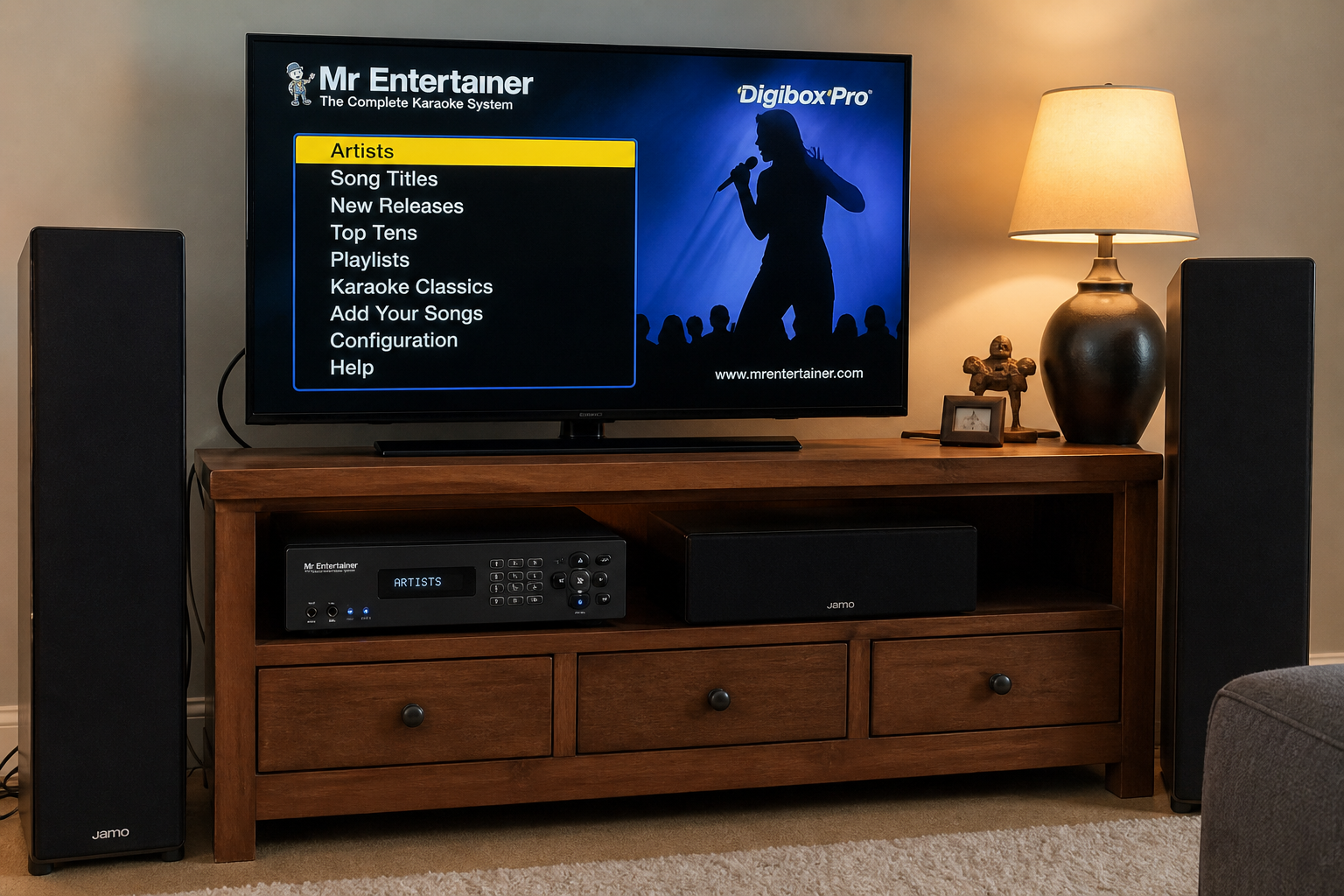
The Mr Entertainer Digibox Pro sits at the better end of the all-in-one market. It includes HDMI output, so you can connect it directly to a larger TV rather than being confined to a small built-in screen — a genuine advantage in a living room or social space where the whole room needs to follow the lyrics. It also supports external speakers, so you’re not entirely locked into the unit’s own audio output.
The interface and built-in library are aimed squarely at home users, making it accessible with minimal technical setup. For home parties and small gatherings, it delivers a noticeably more polished experience than basic consumer machines.
The limitations are the same as any all-in-one: you can’t easily swap in a better microphone preamp, add a mixer with effects or upgrade components as your needs grow. It’s a closed system by design. But for anyone who wants a genuine step up from a toy-grade machine without assembling a full AV rig from scratch, it’s a solid, practical choice.
Core Components of a Professional Karaoke Machine Setup
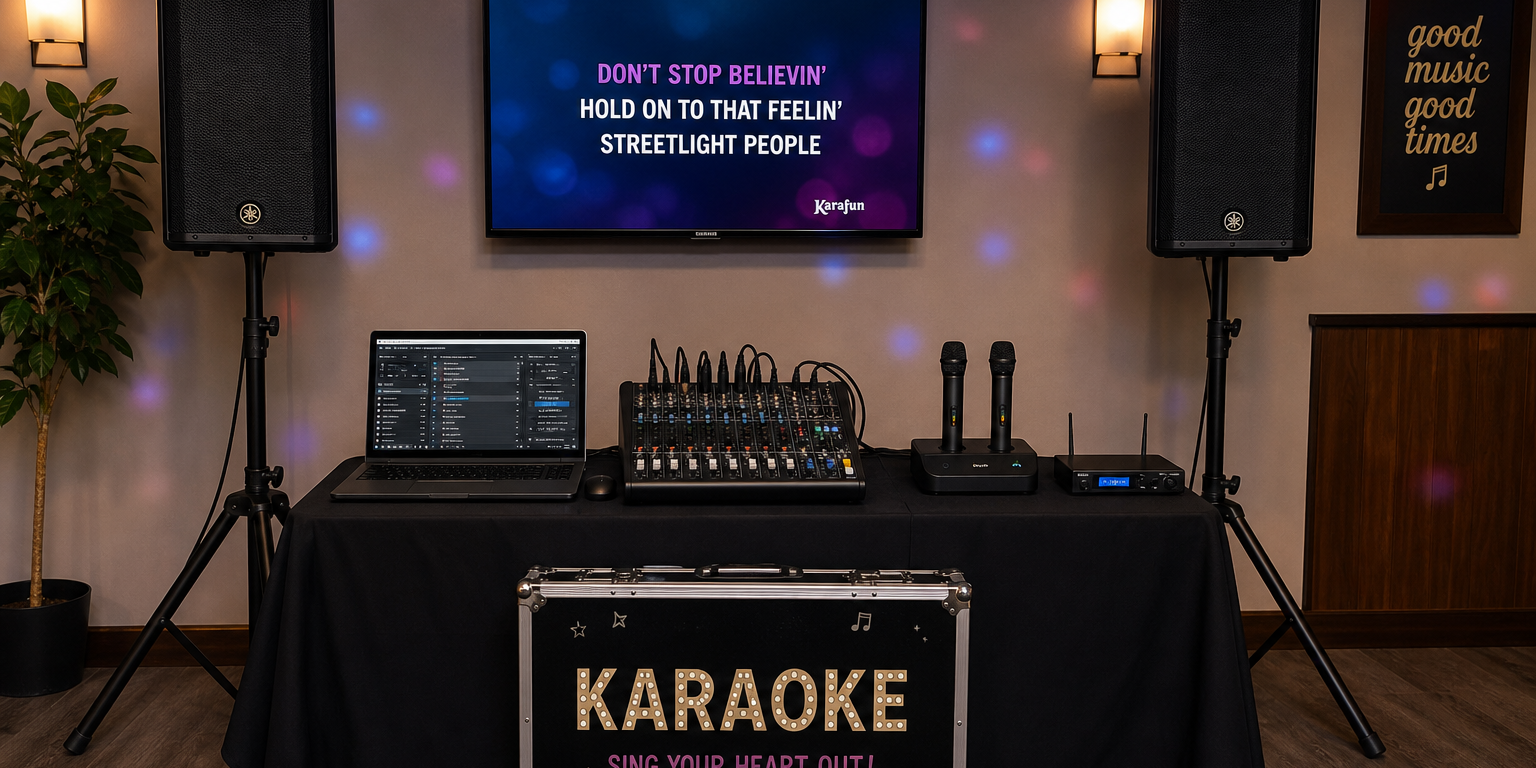
A modular professional karaoke setup is built from six core components:
- Computer or tablet — runs the software and manages the song library
- Karaoke software — plays tracks and displays synchronised lyrics
- Microphones — capture the vocals
- Display — shows lyrics to the performer and the room
- Speakers / PA — delivers the sound
- Mixer — controls levels and adds effects such as reverb
Each is covered in detail below.
Computer or Tablet: Choosing the System Brain
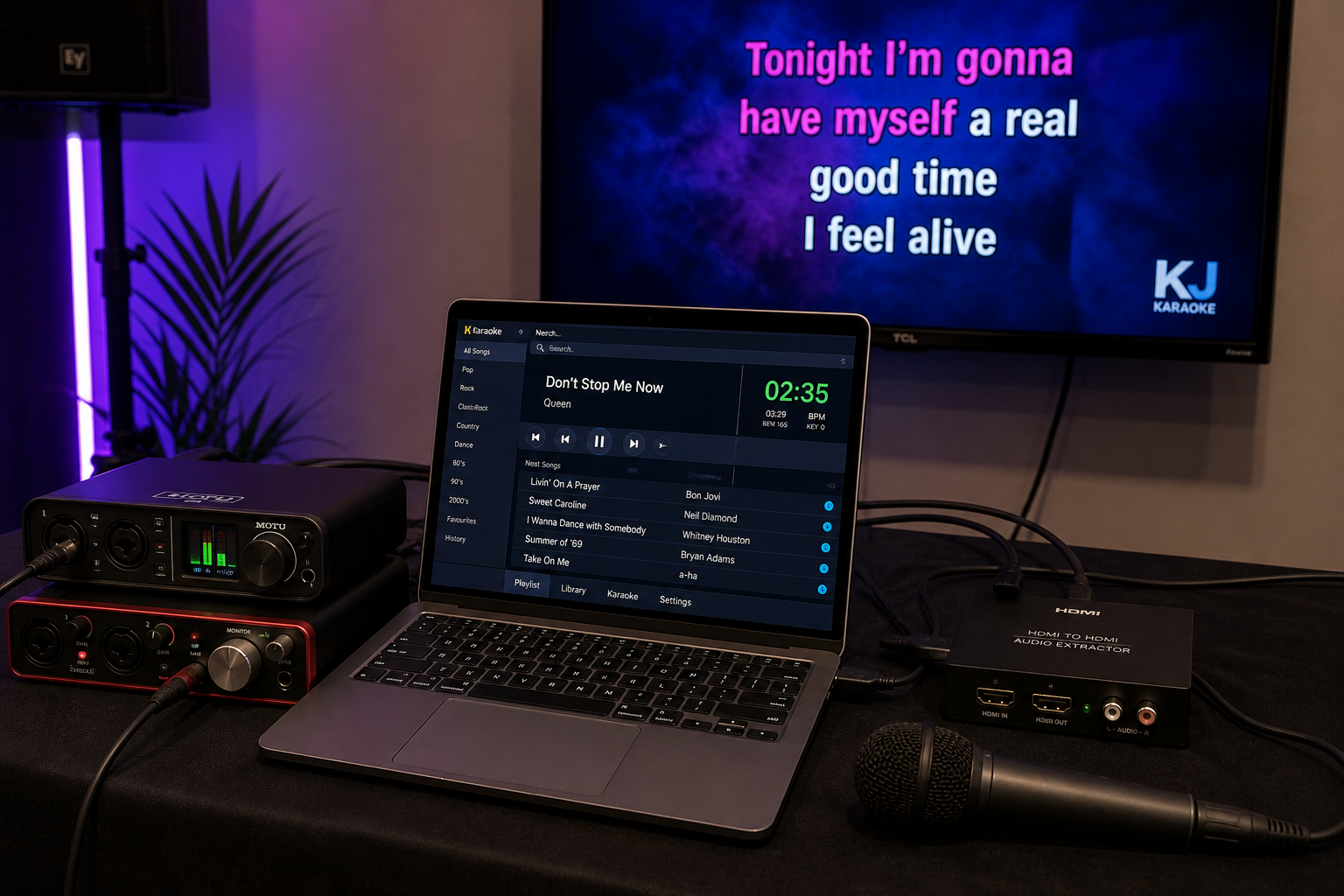
Your computer runs the karaoke software, manages the song library and handles audio and video outputs. Reliability matters more than raw processing power. A mid-range modern laptop with a current processor, 4–8 GB of RAM and an SSD will handle most karaoke software without issue. Good USB and HDMI connectivity are essential.
One practical note: if your setup relies on streaming tracks over the internet, always keep an offline library as a backup. A dropped connection mid-event is easily avoided with a little preparation.
Karaoke Software and Track Quality: KaraFun and Singa
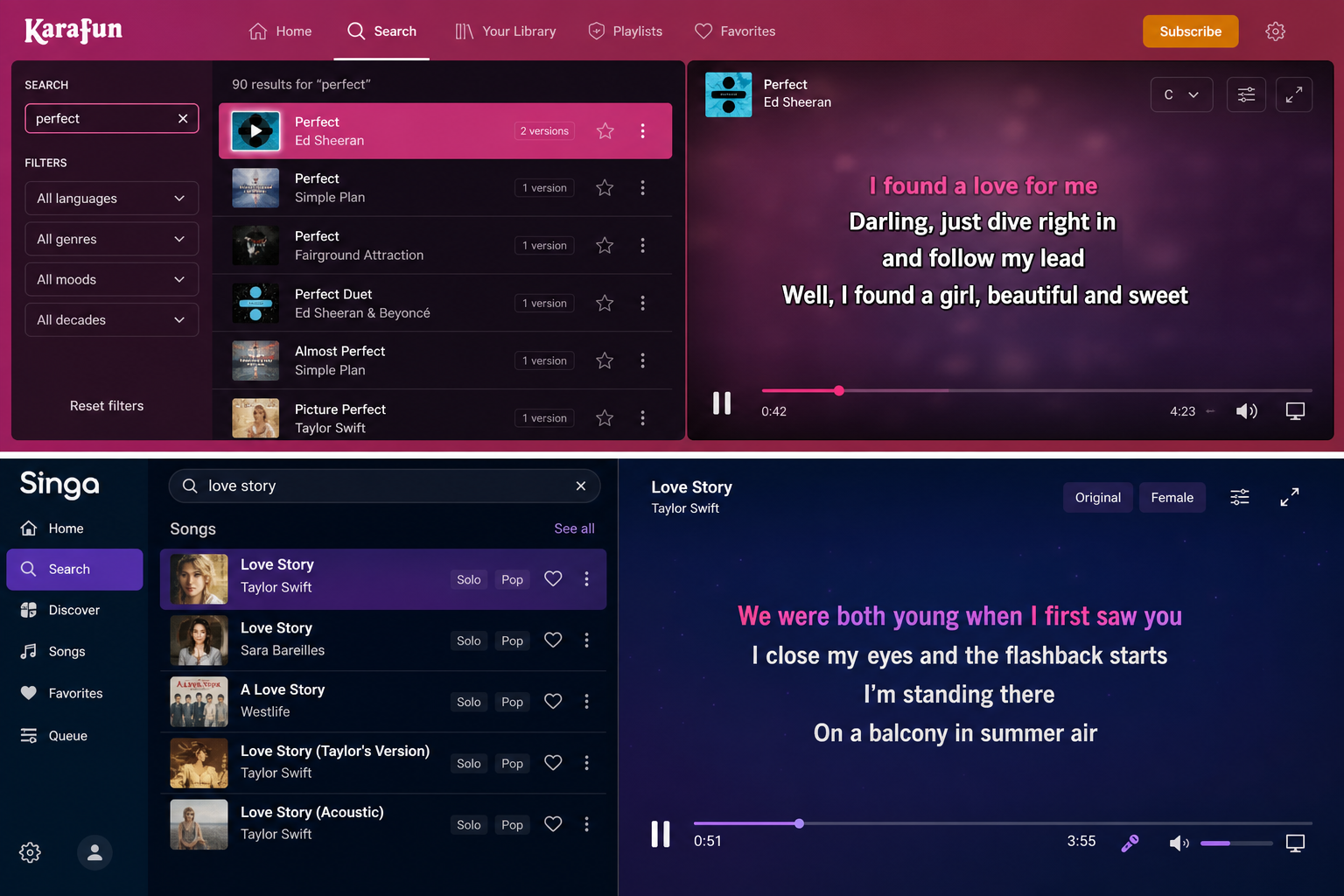
Karaoke software has two jobs: play the backing track and display synchronised lyrics reliably. On a professional setup, poor-quality tracks are immediately exposed by a good PA — thin instrumentals, off-timing lyrics or badly pitched backing vocals become obvious problems in a way they simply aren’t through a small Bluetooth speaker.
Two platforms worth knowing for professional or semi-professional use:
- KaraFun produces many of its tracks in-house, which means consistent audio quality and regular updates to older recordings. Its studio-produced instrumentals hold up well at higher volumes. Both KaraFun and Singa operate on subscription models, so check the licensing terms before using either platform at commercial events — standard consumer subscriptions typically cover private use only and do not include public performance rights.
- Singa brings together licensed content from established catalogues including Sunfly, Mr Entertainer and Zoom. If your audience has strong preferences for specific track versions, Singa’s catalogue breadth is a genuine advantage.
Whichever platform you choose, test your most-requested songs through your actual PA before the event. A track that sounds fine through headphones can reveal problems at room volume.
Microphones: Why Mic Choice Matters
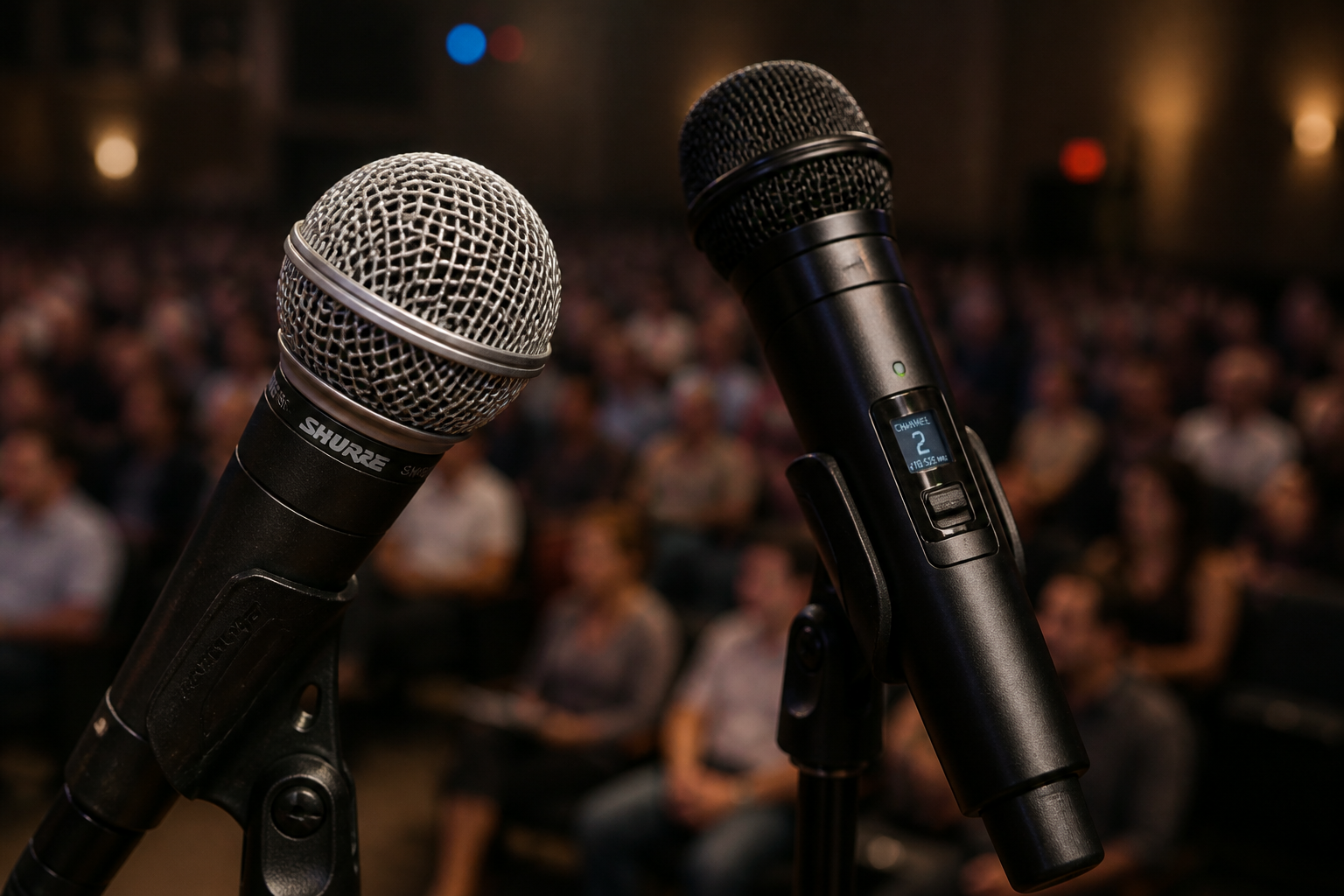
A poor microphone undermines even the best PA system. For karaoke specifically, a good mic needs to handle close working distances, tolerate wildly varying vocal techniques and reject feedback reliably — without colouring the sound too dramatically.
Wired options: The Shure SM58 is a sensible starting point and a genuinely professional choice. It’s robust, widely used in live venues and performs consistently across a broad range of voices. If you’re building your first modular setup and want something dependable without overspending, the SM58 is hard to fault.
Wireless options: A wireless microphone gives singers freedom to move, which matters at events. The trade-off is cost, battery management and the need to check your wireless frequencies won’t clash with other equipment in the venue. Budget wireless systems can be unreliable — if you go wireless, invest in a reputable receiver and plan your frequencies in advance, particularly in larger or urban venues where radio interference is more likely. The Shure Beta 58A is a step up from the SM58, with a tighter supercardioid pickup pattern and higher output, making it well suited to demanding live performance environments.
Displays: Making Lyrics Visible
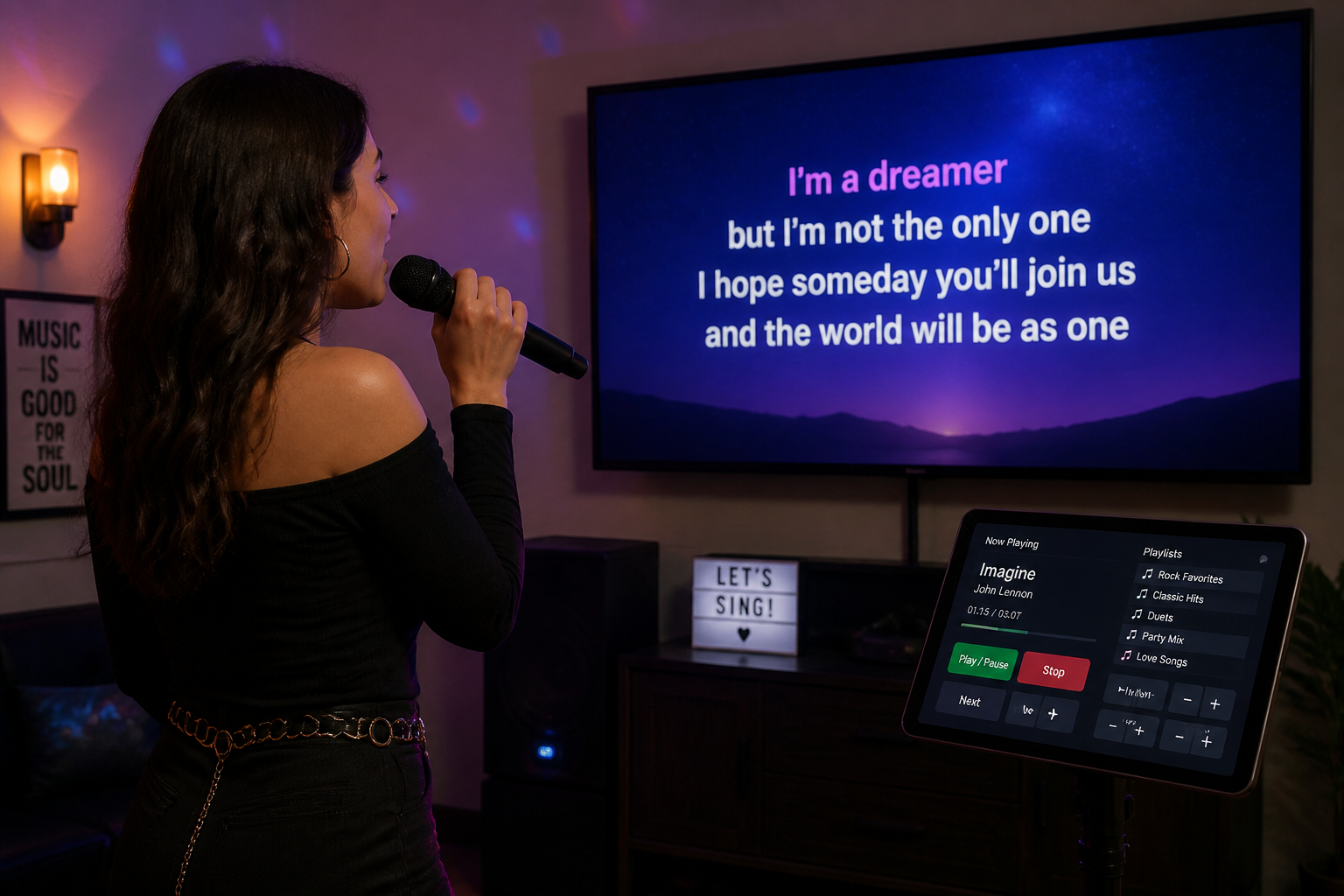
A laptop screen is fine for the operator — it’s not enough for the room. A large TV or projector ensures both the singer and the audience can follow the lyrics comfortably. As a rough guide, a 55-inch screen works well in a living room or small function space; larger rooms benefit from a bigger display or a projector.
Connect via HDMI for reliable, high-quality output. For larger events where performers face away from the main screen, a secondary monitor placed at floor level lets singers read lyrics without turning around.
Speakers and PA: Matching the System to the Room
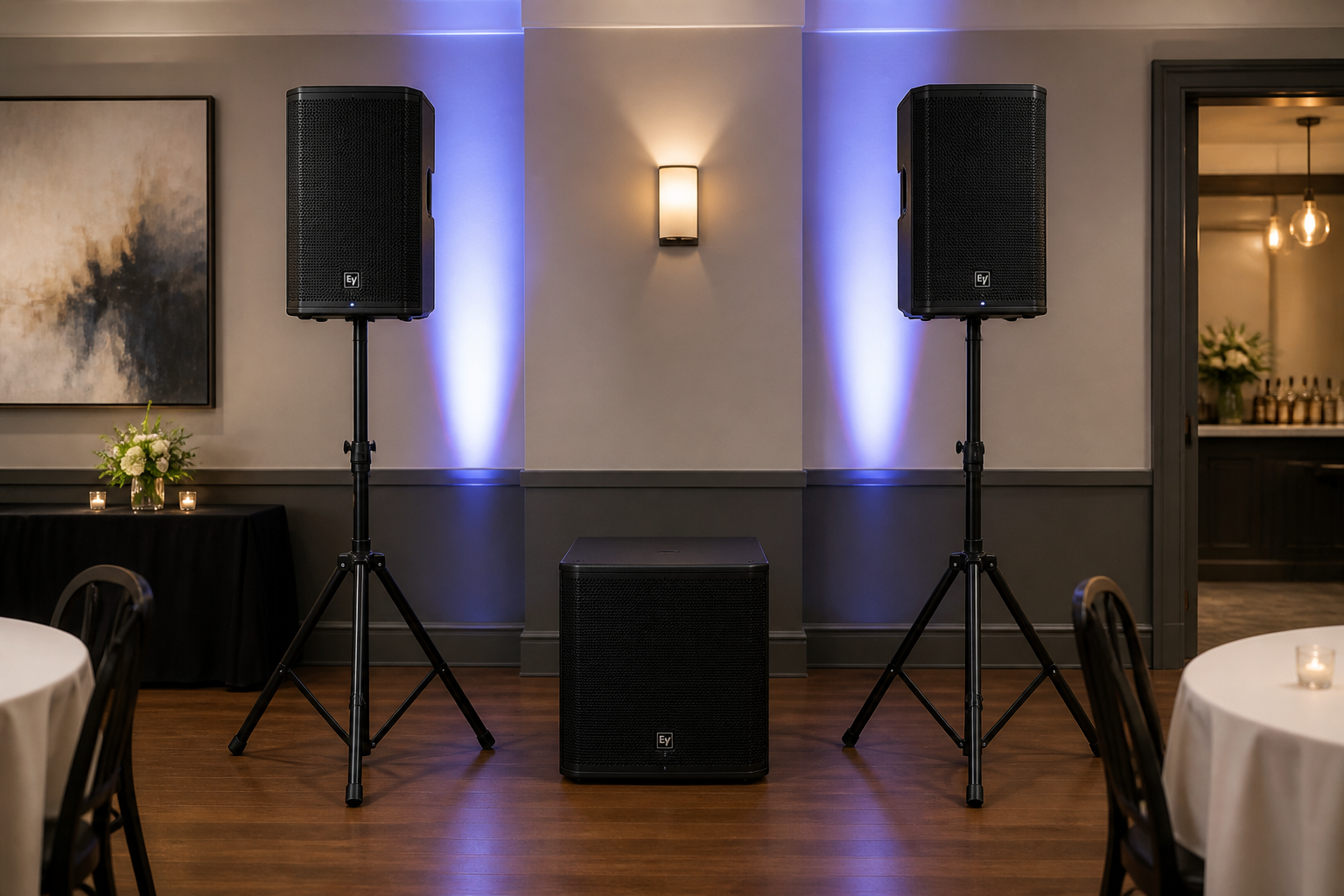
TV speakers and home soundbars are the most common shortcut — and the most common disappointment. They lack the headroom needed for karaoke, where vocals can jump unpredictably from a quiet verse to a belted chorus. When a speaker runs out of headroom, it clips and distorts; in a room full of people, that quickly becomes unpleasant.
Headroom simply means having more power in reserve than you typically need. A PA for karaoke should handle sudden peaks cleanly without straining, and doing so reduces feedback risk too.
A rough guide to matching PA to room size:
- Small booth or bedroom — a pair of compact active speakers will suffice
- Medium room or house party — two active speakers with 8–12″ drivers give a fuller, more controlled sound
- Larger events — a full PA with subwoofers and monitor wedges for performers
Active (powered) speakers are the practical choice for most setups — self-contained and straightforward to connect. The principle holds at every level: choose speakers with more capacity than you think you need, and test them at realistic volumes before the event.
Mixer and Effects: Why a Small Mixer with Reverb Matters
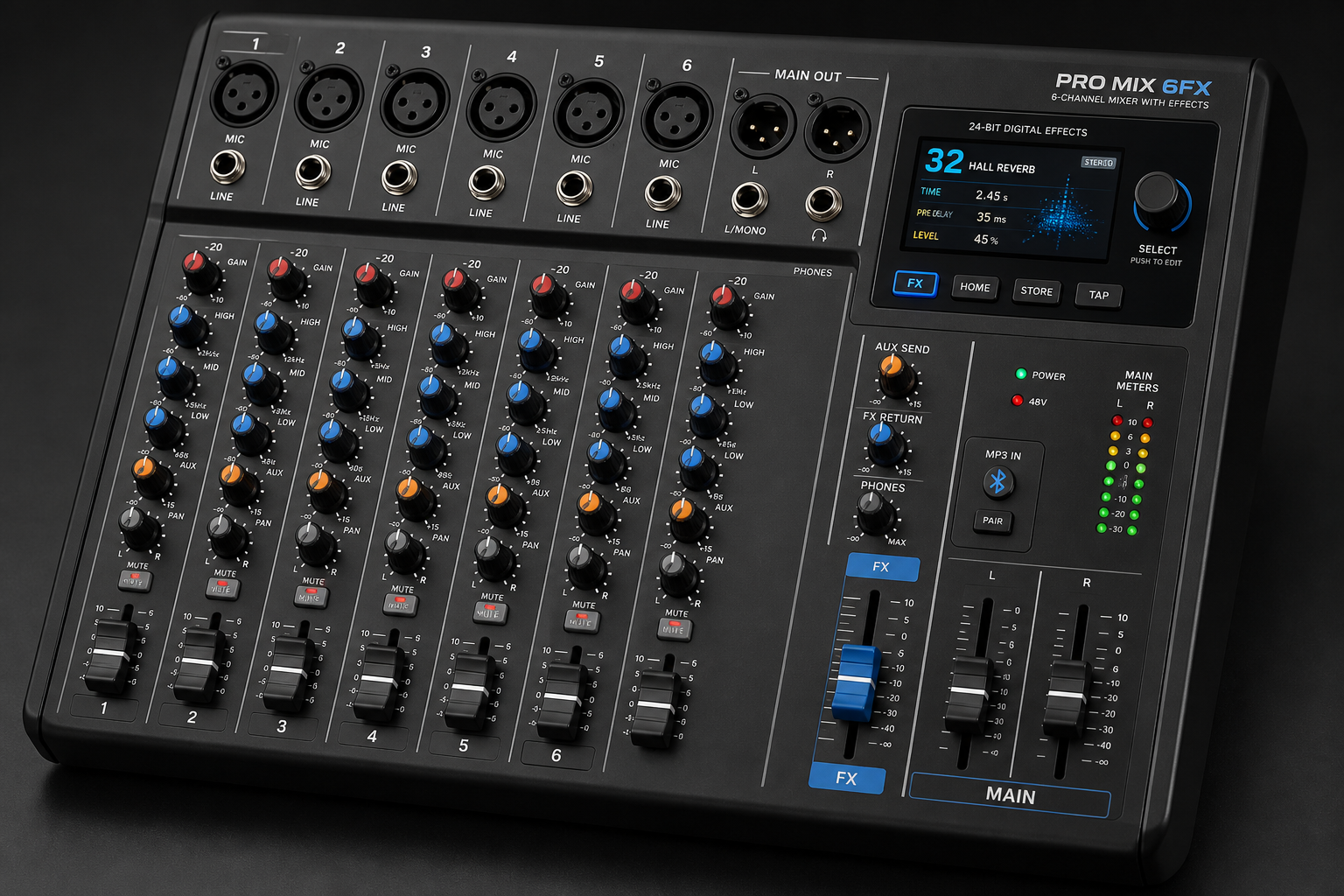
Most karaoke setups only need a handful of mic inputs, so a small-format four-to-eight channel mixer is perfectly adequate. It handles mic levels, basic EQ and routing audio to your speakers.
Built-in reverb makes a genuine difference. It adds presence to vocals and smooths over the rougher edges of amateur singing — which is exactly what karaoke demands. Affordable options from manufacturers such as Behringer typically sit in the £100–£200 range and include effects that are more than sufficient for most setups.
Recommended Setups by Budget and Use Case
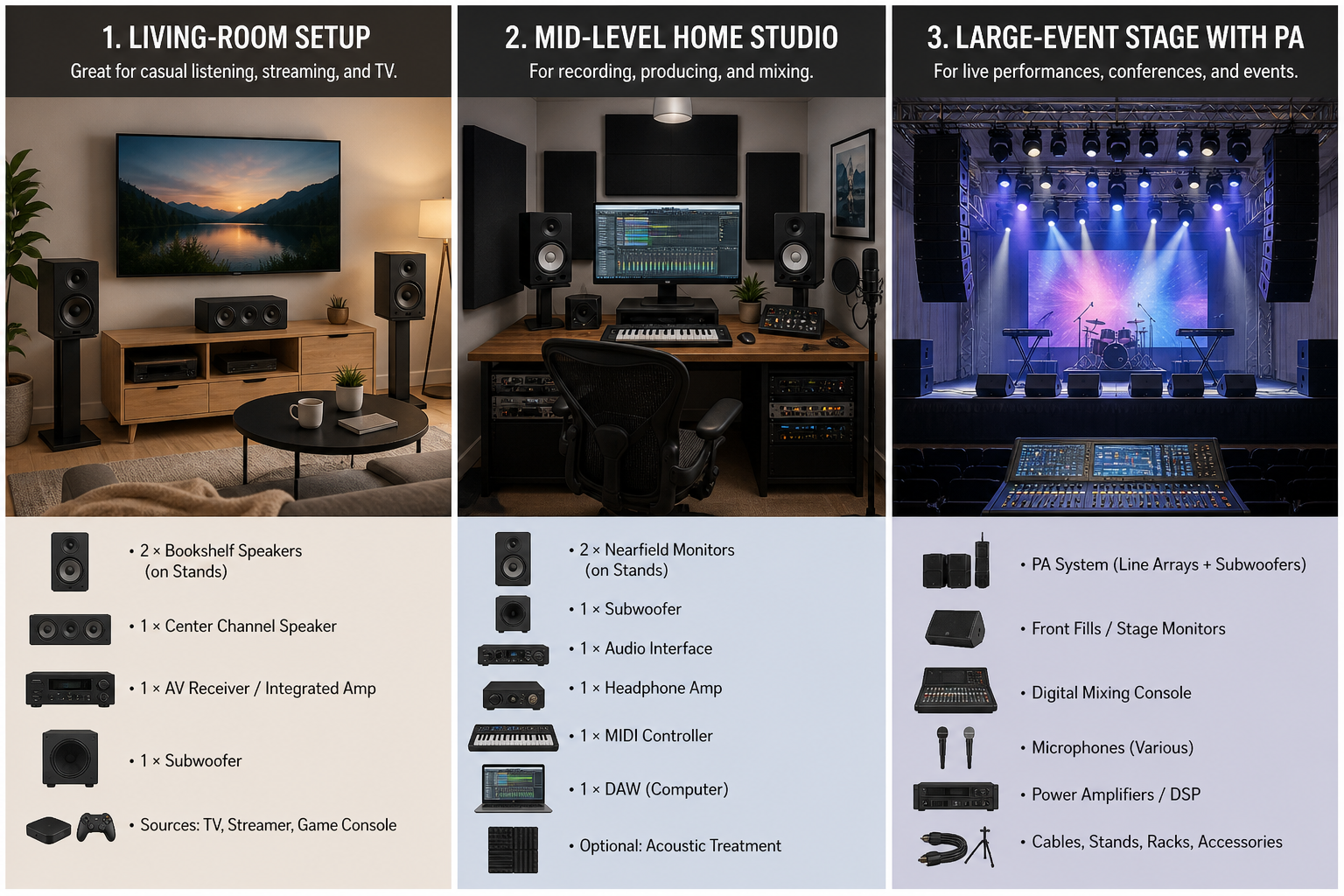
The right combination of components depends on how often you’ll use the system, how large the room is and how polished the result needs to be.
Tier 1 — Home Karaoke Setup (All-in-One)
- Machine: Mr Entertainer Digibox Pro or similar
- Display: existing TV via HDMI
- Mics: one or two wired dynamic mics
- Best for: family use, occasional parties, minimal setup time
Tier 2 — Mid-Level Modular (Regular Home or Small Venue Use)
- Source: laptop or tablet running KaraFun or Singa
- Mixer: small four-to-eight channel mixer with built-in reverb (approx. £100–£200)
- Speakers: two powered 8–12″ active speakers
- Mics: wired or entry-level wireless SM58-style handhelds
- Best for: regular home use, small venue nights, function rooms
Tier 3 — Pro and Event-Grade Professional Karaoke Machine Setup
- Source: dedicated, reliable laptop with offline backup
- PA: full system with subwoofers and monitor wedges
- Processing: rack-mounted effects and vocal processing
- Mics: professional wireless handhelds (e.g. Shure Beta 58A)
- Best for: large events, professional karaoke hosting
Most people won’t need Tier 3, but knowing where the ceiling is helps you plan a sensible upgrade path.
Hiring vs Buying: When Karaoke Machine Hire Makes More Sense
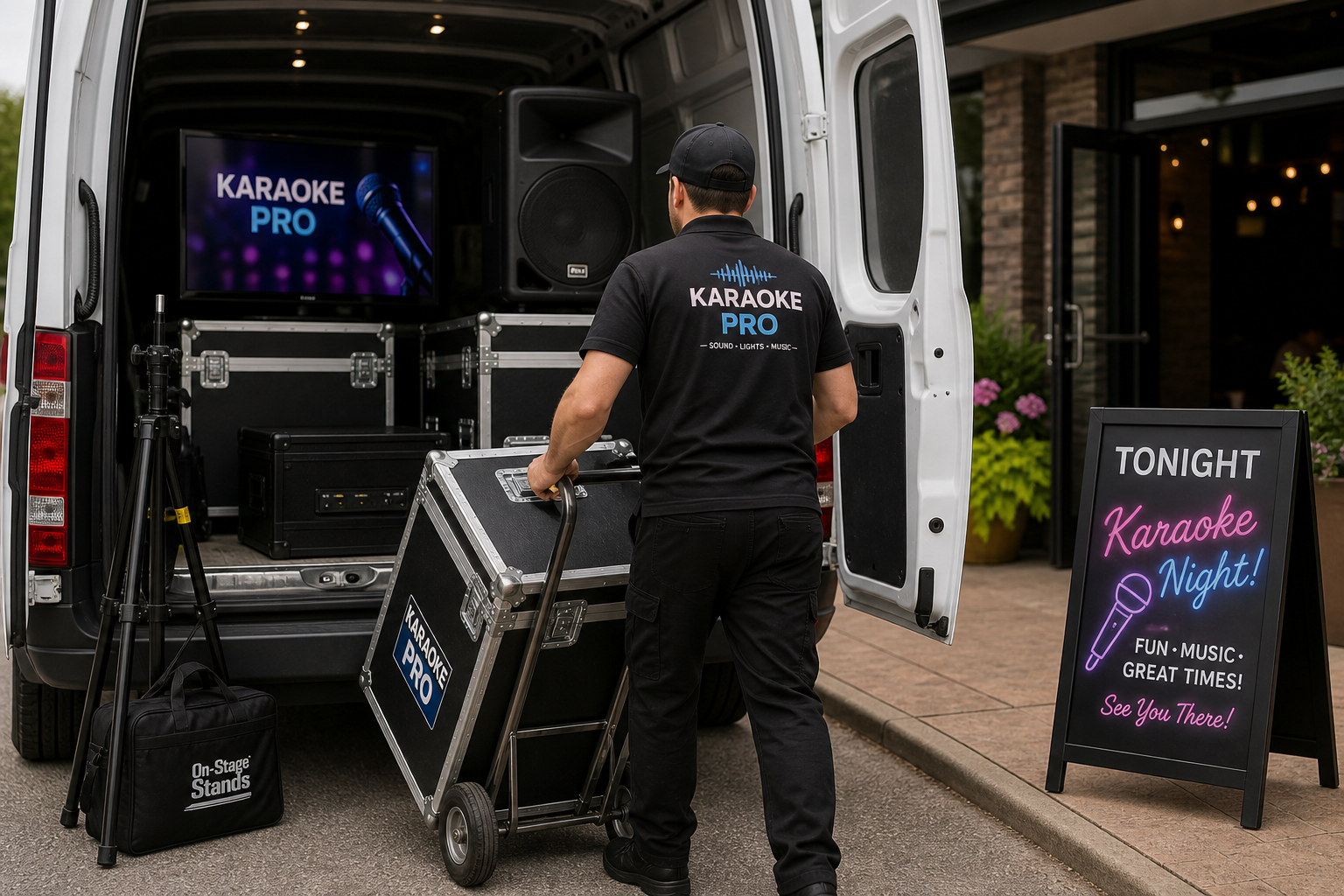
Buying equipment makes sense if you’ll use it regularly. For a one-off birthday party, a corporate event or an occasional gathering, hiring professional karaoke equipment removes the cost of ownership, the storage problem and the logistics of transporting bulky gear.
There are two distinct tiers to consider:
Standard karaoke machine hire suits casual parties and smaller events where you need reliable, ready-to-use kit without the complexity of a modular system.
Premium karaoke machine hire is a different proposition entirely. Rather than an all-in-one machine, it uses separate professional AV components — the kind of Tier 3 setup described above. It’s suited to larger venues, public events or situations where you want to genuinely transform a space.
If you’re unsure which option fits your event, contact us for a bespoke quote.
FAQ: Professional Karaoke Machine Questions Answered
Is an all-in-one machine ever professional enough?
Yes — for home use and casual parties, a quality all-in-one like the Mr Entertainer Digibox Pro is perfectly capable. It’s only for larger venues or public events that a modular system becomes necessary.
Do I need wireless mics for karaoke?
Not essential, but wireless mics improve the experience significantly. Invest in a decent receiver — cheap wireless systems introduce drop-outs and interference.
What software gives the best track quality?
KaraFun is a strong choice due to its in-house production and ongoing track improvements. Singa is a reliable alternative with established catalogue content from suppliers like Sunfly and Zoom. Check the licensing terms of either platform before using them at public or commercial events, as standard consumer subscriptions cover private use only.
Do I need a mixer for karaoke?
A small mixer with reverb is recommended for any modular setup. It gives you level control, basic EQ and the vocal effects that make singers sound their best.
How loud should my PA be for a house party versus a pub?
A pair of powered 8–12″ speakers suits most house parties. A pub or function room typically warrants a fuller PA, ideally with a subwoofer for depth and headroom.
Is hiring cheaper than buying for a one-off event?
In most cases, yes. Karaoke machine hire avoids the upfront cost, storage and transport involved in owning professional-grade equipment outright.
A professional karaoke machine can mean a well-specified all-in-one or, more commonly, a modular system built from separate components. The right choice comes down to budget, room size and how often you’ll use it. For home use, a Digibox Pro or mid-level modular setup will serve most people well. For larger or occasional events, hiring removes the hassle entirely.
Ready to explore options? Take a look at our karaoke machine hire for parties, or our premium karaoke machine hire for larger events. Not sure what you need? Contact us and we’ll point you in the right direction.