Not so long ago, getting karaoke at home meant buying stacks of CDs — and keeping up with new releases wasn’t cheap. A home karaoke set is now well within reach for most people, thanks to streaming services, YouTube, and a handful of affordable bits of kit.
There are two main routes: buy a ready-made karaoke machine that works straight out of the box, or build your own custom setup from separate components. Both are perfectly valid. The right choice depends on your budget, how often you plan to use it, and how much control you want over the experience.
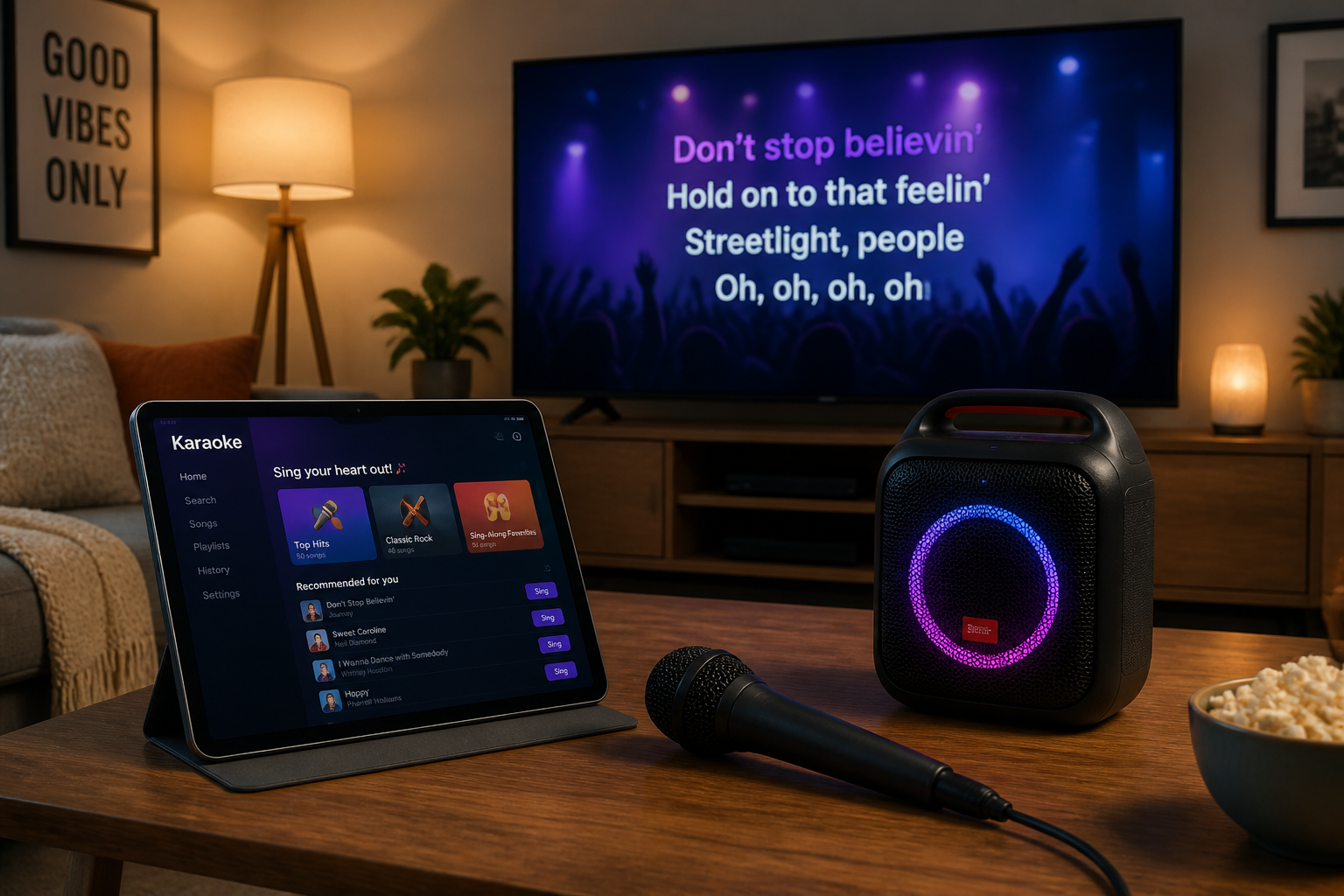
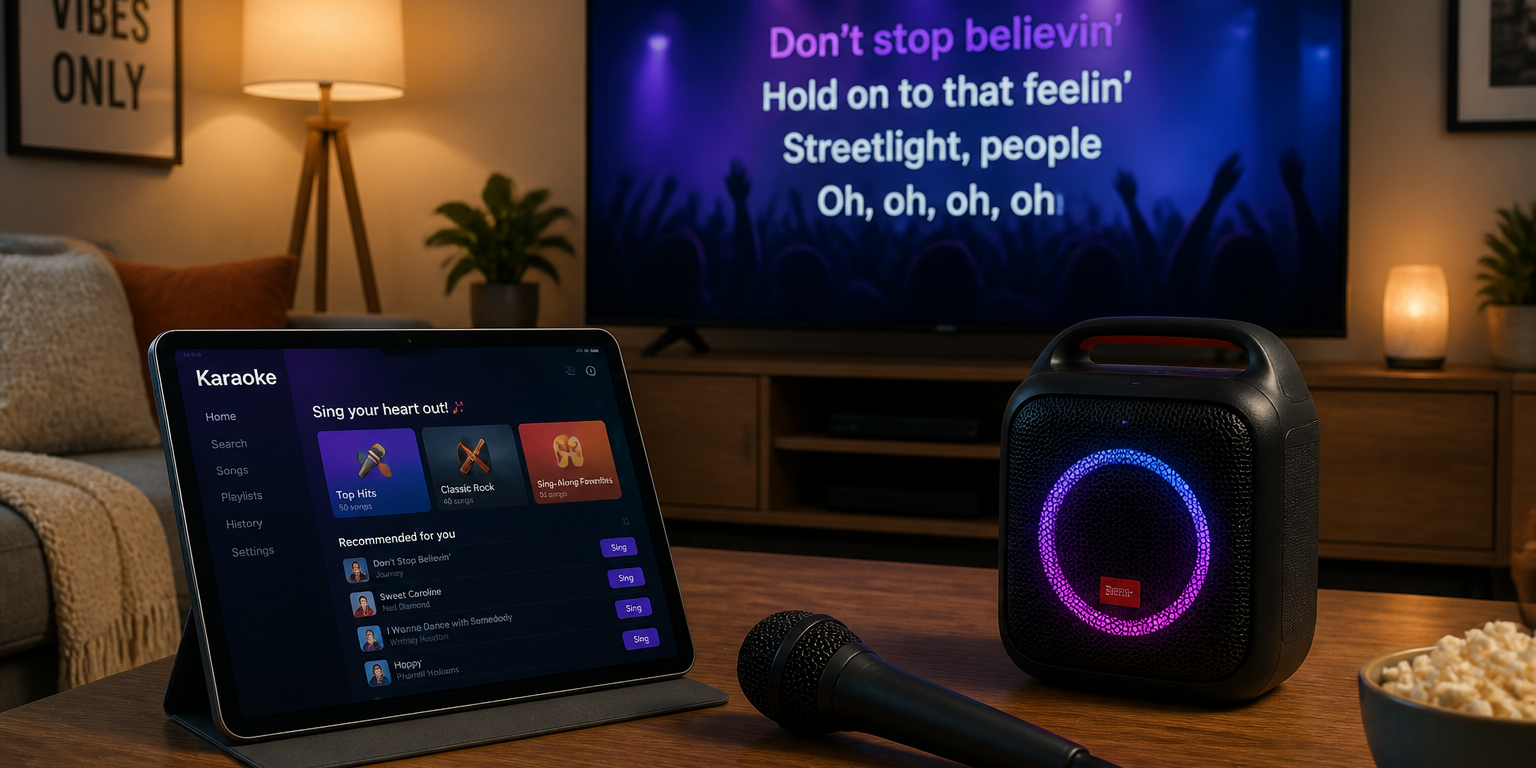
Either way, the core hardware is simpler than you might think: a microphone, a speaker, a screen, and a tablet or computer. This guide covers both approaches — comparing your options, walking through practical setup examples, and helping you decide which route suits you best.
Buy or Build? Choosing Your Home Karaoke Set
The quickest way to decide is to think about how you’ll actually use your setup. Off-the-shelf machines simplify everything — you plug in and sing. A custom build takes a little more effort but gives you greater control over audio quality, song sources, and how the system grows with you.
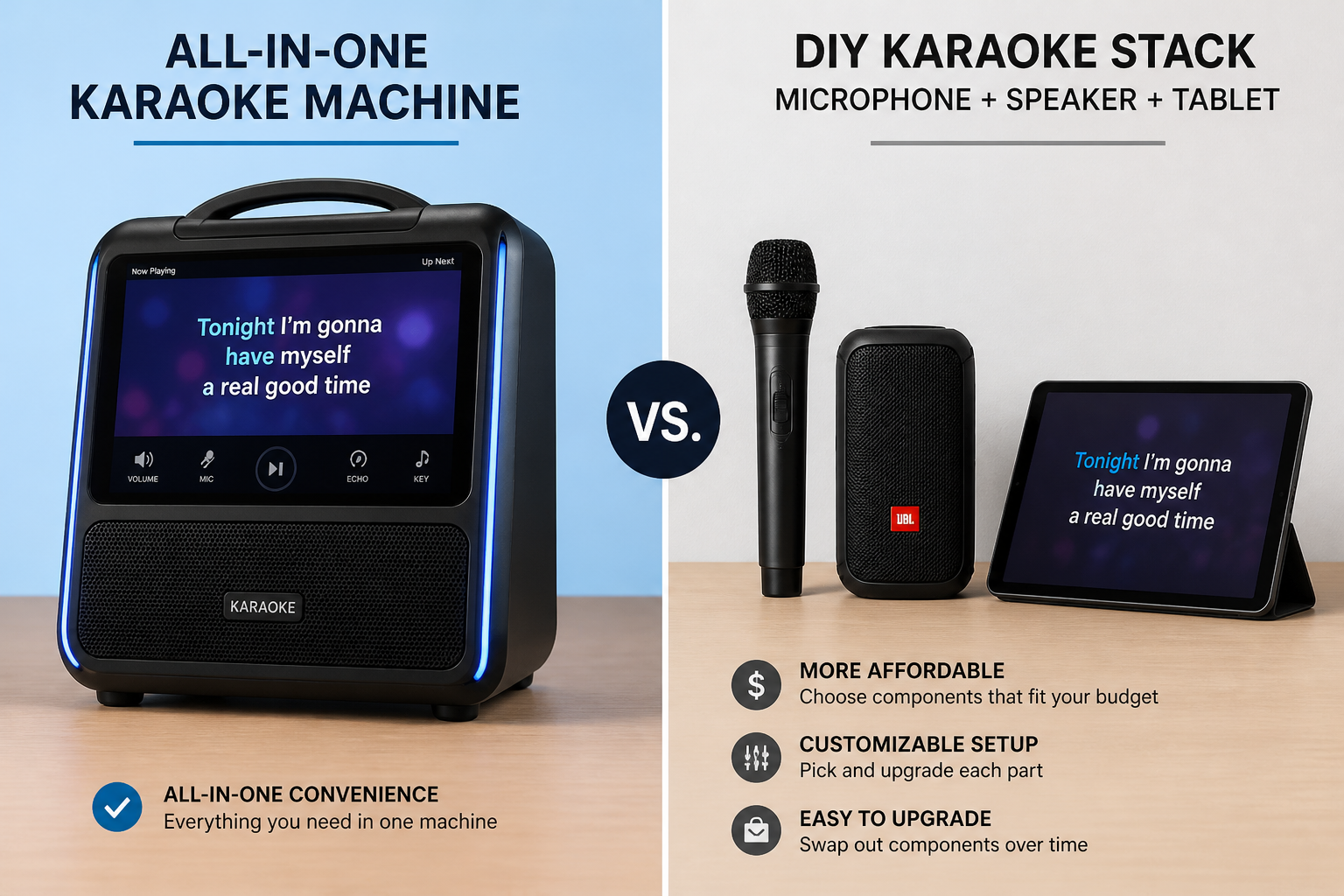
Ask yourself the following before committing to either route:
- Ease of use and setup time — Casual singer or first-time buyer? A ready-made machine is hard to beat for simplicity. If you want it working in minutes for a party, off-the-shelf wins.
- Audio quality and expandability — An audio enthusiast or frequent host will benefit from a custom build, which lets you upgrade individual components and dial in your sound.
- Budget and technical comfort — Lower technical confidence or a tighter budget? A complete unit keeps things straightforward. Happy tinkering with kit? A custom setup can deliver more for your money over time.
- Song access — Consider whether you want a subscription streaming service or a self-contained song library. Your choice of route affects which software options are practical.
Neither approach is wrong. It really comes down to how much control you want versus how quickly you want to get singing.
Off-the-Shelf Home Karaoke Machines: What to Expect
A ready-made home karaoke machine is the fastest way to get started. You unbox it, connect it to your TV, plug in a microphone, and you’re done. For anyone who doesn’t want to think about cables, components or compatibility, this plug-and-play approach is genuinely appealing.
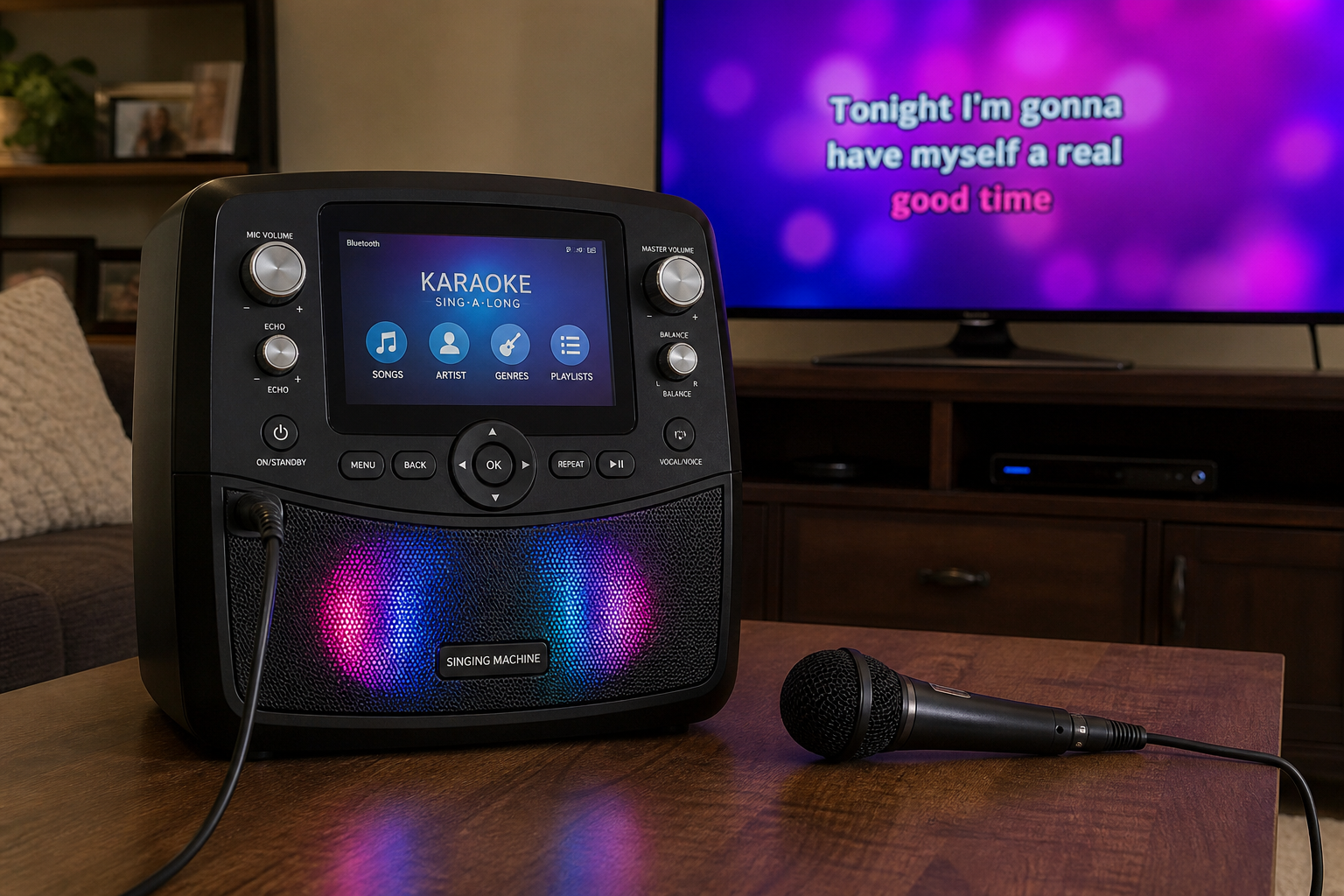
Modern machines typically include Bluetooth connectivity, HDMI or AV outputs for your TV, one or two microphone inputs, USB or SD card playback, and onboard reverb and vocal effects. Some include a small built-in song library, though most buyers will use an app or streaming service alongside.
What to Check Before Buying
- Outputs — Does it have HDMI so lyrics can display on your TV?
- Microphone inputs — How many, and what connector type (3.5mm, quarter-inch or XLR)? Make sure it matches the mics you plan to use.
- Speaker power — Wattage varies considerably. Higher wattage generally means louder, cleaner sound for larger rooms.
- Portability — If you want to take it to parties, check the size and weight, and whether it has a carry handle or battery option.
- Included accessories and warranty — Some bundles include microphones and cables; others don’t. A warranty gives peace of mind if something goes wrong early on.
Pros: Simple setup, all controls in one place, no component juggling, often portable, comes with manufacturer support.
Cons: Audio quality varies widely between models, limited upgrade path if you want better sound later, and some machines tie you to proprietary song formats or limited libraries.
Off-the-shelf suits you best if you sing occasionally, host casual parties, or simply don’t want the hassle of managing separate components. If you’d rather not commit to buying at all, karaoke machine hire or premium karaoke machine hire are worth considering for one-off events.
Build Your Own Home Karaoke Setup: Equipment and Options
Building your own home karaoke set is more straightforward than it sounds. At its core, you need four things: a microphone, a speaker, a screen, and a source device (tablet or computer). Everything else adds refinement rather than replacing those basics.
Here’s how the components break down by tier:
Basic Setup
- Wired dynamic microphone (3.5mm or quarter-inch jack)
- Bluetooth or aux-input portable speaker
- Your existing TV, connected via HDMI from your source device
- Android tablet or iPad running a karaoke app
- USB-C or Lightning to HDMI adapter (check your tablet’s port before buying)
Better Setup
- Wired or wireless microphone with quarter-inch jack
- Active (powered) speaker with a dedicated mic input or aux input
- TV connected via HDMI
- Android tablet or iPad, or a Windows/Mac laptop
- Short audio cable (TRS or RCA) to connect source device to speaker
Enthusiast Setup
- XLR microphone (wired or wireless)
- Active PA speaker with XLR input
- Small mixer or USB audio interface
- Windows or Mac computer running a desktop karaoke application
- HDMI to TV for lyrics display; XLR and TRS cables throughout
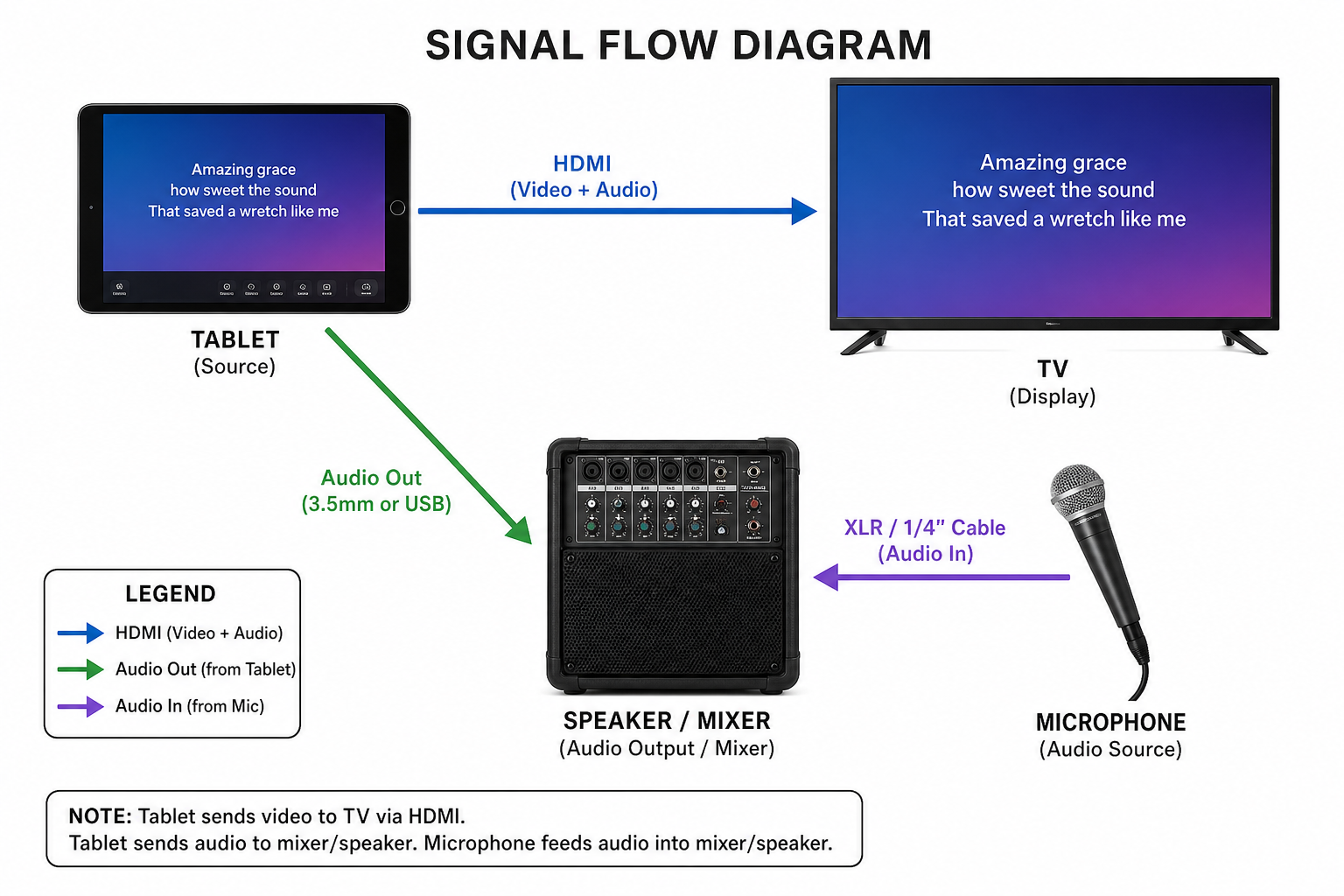
Key Components Explained
Microphones: Wired mics are more reliable and cost less; wireless gives freedom of movement but adds complexity and potential interference. Always check the connector type — XLR, quarter-inch and 3.5mm are all common — and make sure your speaker or mixer has the matching input.
Speakers: Powered (active) speakers are the simplest choice because the amplifier is built in. Bluetooth speakers work for casual use, but they can introduce a noticeable delay between singing and hearing yourself back. This latency is a well-documented limitation of Bluetooth audio and gets irritating quickly during karaoke. For larger rooms, a compact PA speaker gives you the volume you need without that problem.
Mixers and audio interfaces: These are optional at the basic level but genuinely useful once you want more control. A small mixer lets you balance microphone and music volumes independently, add reverb, and apply basic EQ. A USB audio interface connects directly to a computer and tends to improve overall sound quality compared to using a standard headphone output.
Source devices: Android tablets and iPads both work well for a tablet-based setup — just make sure you have the correct adapter for your specific model before the night. For a computer-based setup, Windows and Mac are equally capable; your choice of app or streaming service will likely be the deciding factor.
Wherever you place your microphone, keep it pointed away from the speaker to reduce feedback. Small adjustments to room positioning and EQ can make a noticeable difference to the overall sound.
Karaoke Software: YouTube, Karafun and How to Choose
Once your hardware is sorted, you need a source for your tracks. For home use, the two most common options are YouTube and a dedicated karaoke streaming service.
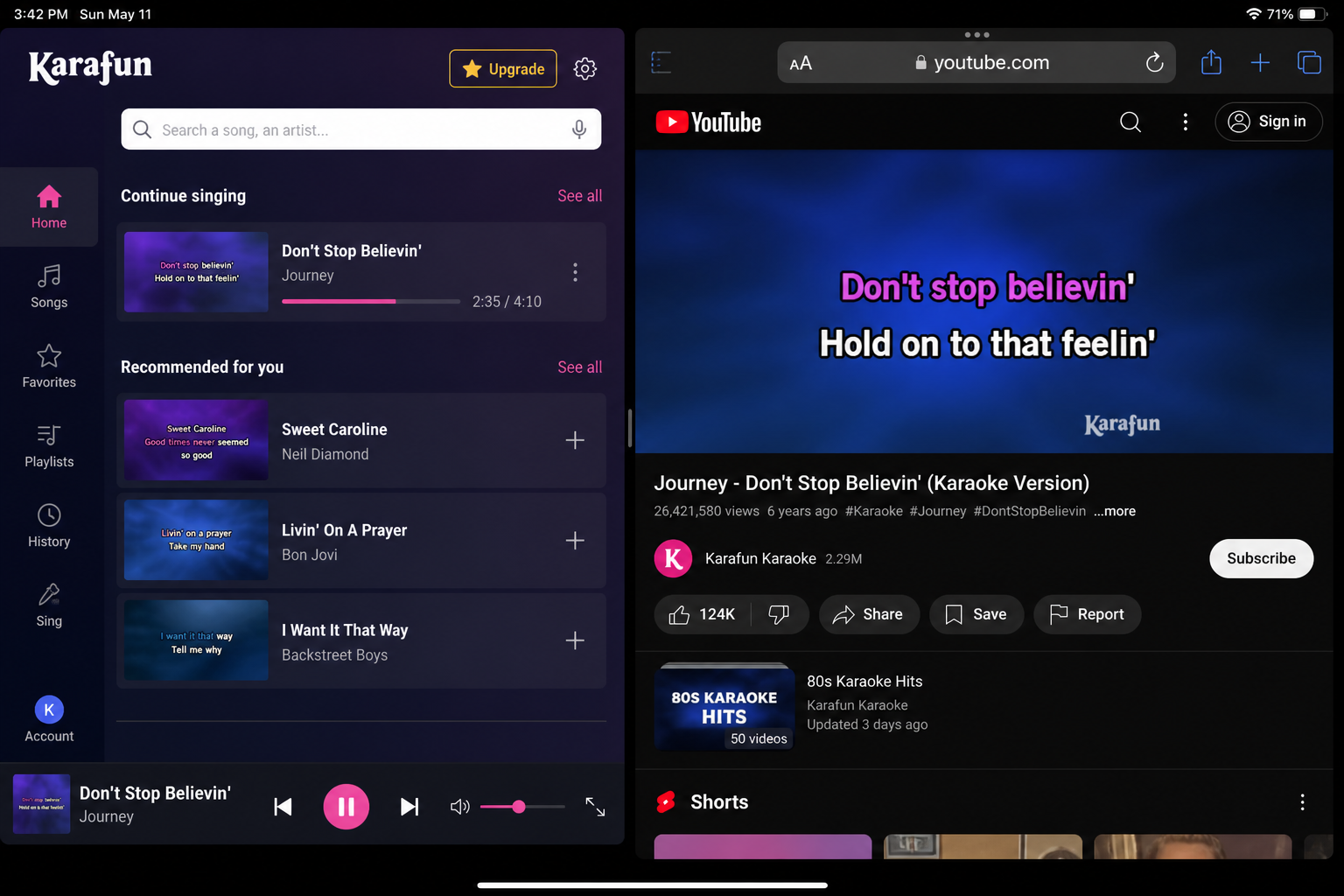
YouTube Karaoke
- Free and enormous in scope — almost any song you can think of has a karaoke version
- Audio is compressed, which affects sound quality noticeably through a decent speaker system
- Fine for casual home use; not suitable for commercial settings
Dedicated Karaoke Streaming Services
- Paid subscription model with high-quality, professionally produced audio tracks
- Catalogue updates regularly — new tracks are added each week
- Available as a dedicated app and a desktop player, compatible with tablets and computers
The Karafun karaoke service is one we recommend. The pricing is reasonable, the catalogue is consistently growing, and it handles all the licensing for home use as part of the subscription.
On that point: for private home use, YouTube and subscription services are both perfectly acceptable. Commercial use is a different matter entirely and requires proper licensing — but that’s outside the scope of a home setup.
On a tablet, a dedicated karaoke app tends to be the most convenient route. On a computer, desktop applications generally offer better audio routing and more control over how the music and microphone channels are handled.
Two Practical Home Karaoke Setup Examples
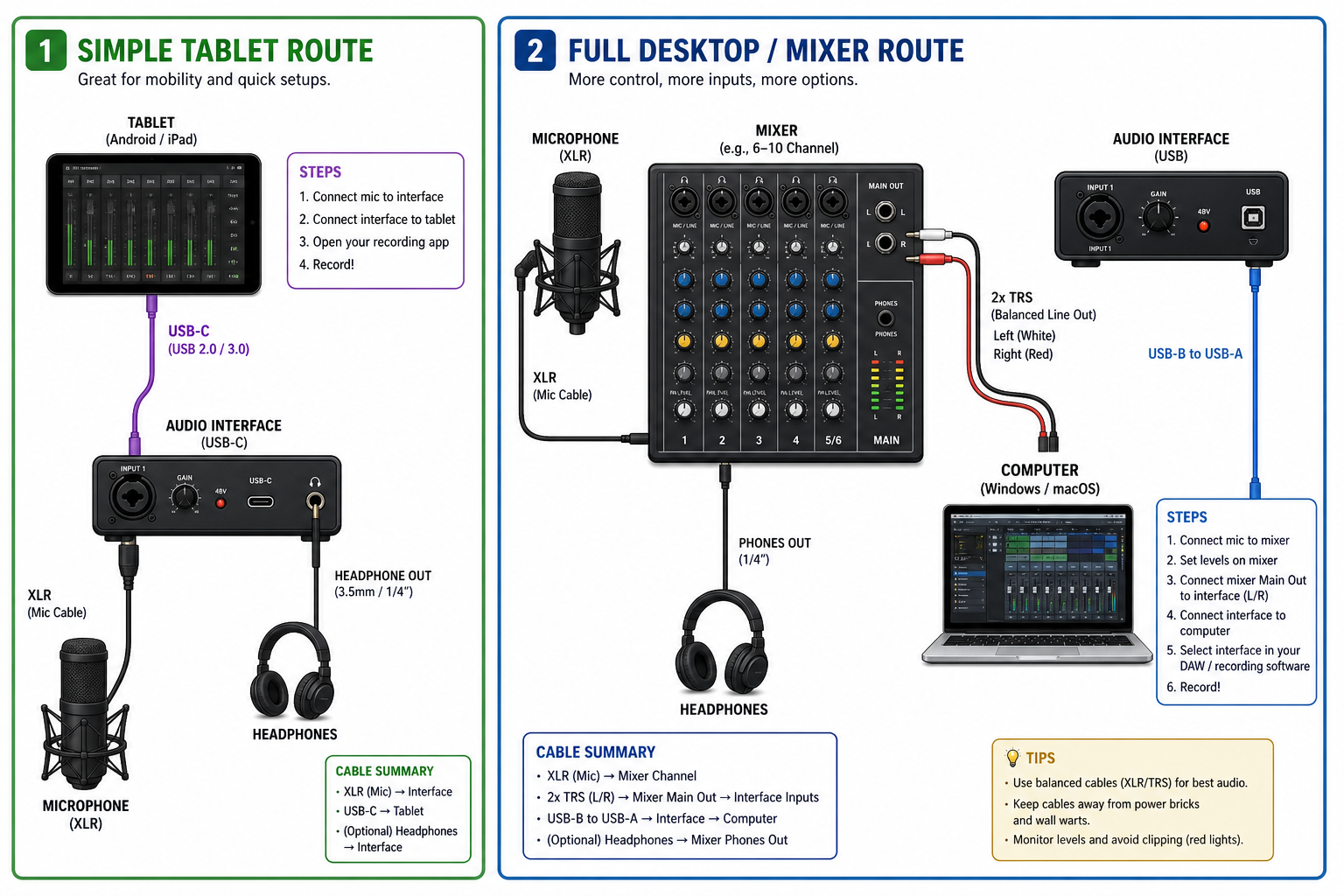
Quick Setup: Tablet-Based (Casual Singers and Party Hosts)
- Install a karaoke app (Karafun or YouTube) on your iPad or Android tablet.
- Connect your tablet to your TV: Tablet → USB-C (or Lightning) to HDMI adapter → HDMI cable → TV. Lyrics and video now display on screen.
- Connect audio to your powered speaker: Tablet headphone/USB-C output → aux cable → powered speaker.
- Plug your microphone into the speaker’s built-in mic input (if available), or into a small mixer sitting between the tablet and speaker.
- Set music volume on the tablet and mic volume on the speaker or mixer. Sing.
Shopping checklist:
- Tablet (iPad or Android)
- USB-C or Lightning to HDMI adapter (check your specific model’s port)
- HDMI cable
- Powered speaker with aux or mic input
- Wired microphone (3.5mm or quarter-inch jack)
- Karaoke app subscription
Complexity: low. Suited to casual home use and parties.
Full Setup: Computer-Based (Enthusiasts and Frequent Hosts)
- Connect your computer to your TV or monitor: Computer → HDMI cable → TV/monitor.
- Connect a USB audio interface or small mixer to your computer via USB.
- Plug your microphone(s) into the mixer or interface: Microphone (XLR or quarter-inch) → mixer input.
- Run audio output from the mixer to your powered speakers: Mixer main output → XLR or TRS cable → powered speakers.
- Open your karaoke desktop app or browser player. Route audio through the interface in your system sound settings.
- Balance mic and music levels on the mixer. Apply reverb if the mixer supports it.
Shopping checklist:
- Windows or Mac computer
- HDMI cable
- USB audio interface or small mixer
- XLR or quarter-inch microphone(s)
- Powered PA speakers with XLR inputs
- XLR and TRS cables
- Karaoke desktop app or subscription
Complexity: moderate. Best for regular hosts who want reliable audio and proper volume control.
If you’re unsure which route suits your space or budget, feel free to contact us for a chat.
Common Mistakes and Tips for Better Sound
Most karaoke problems at home come down to a handful of familiar culprits. Here’s what to watch for and how to fix things quickly.
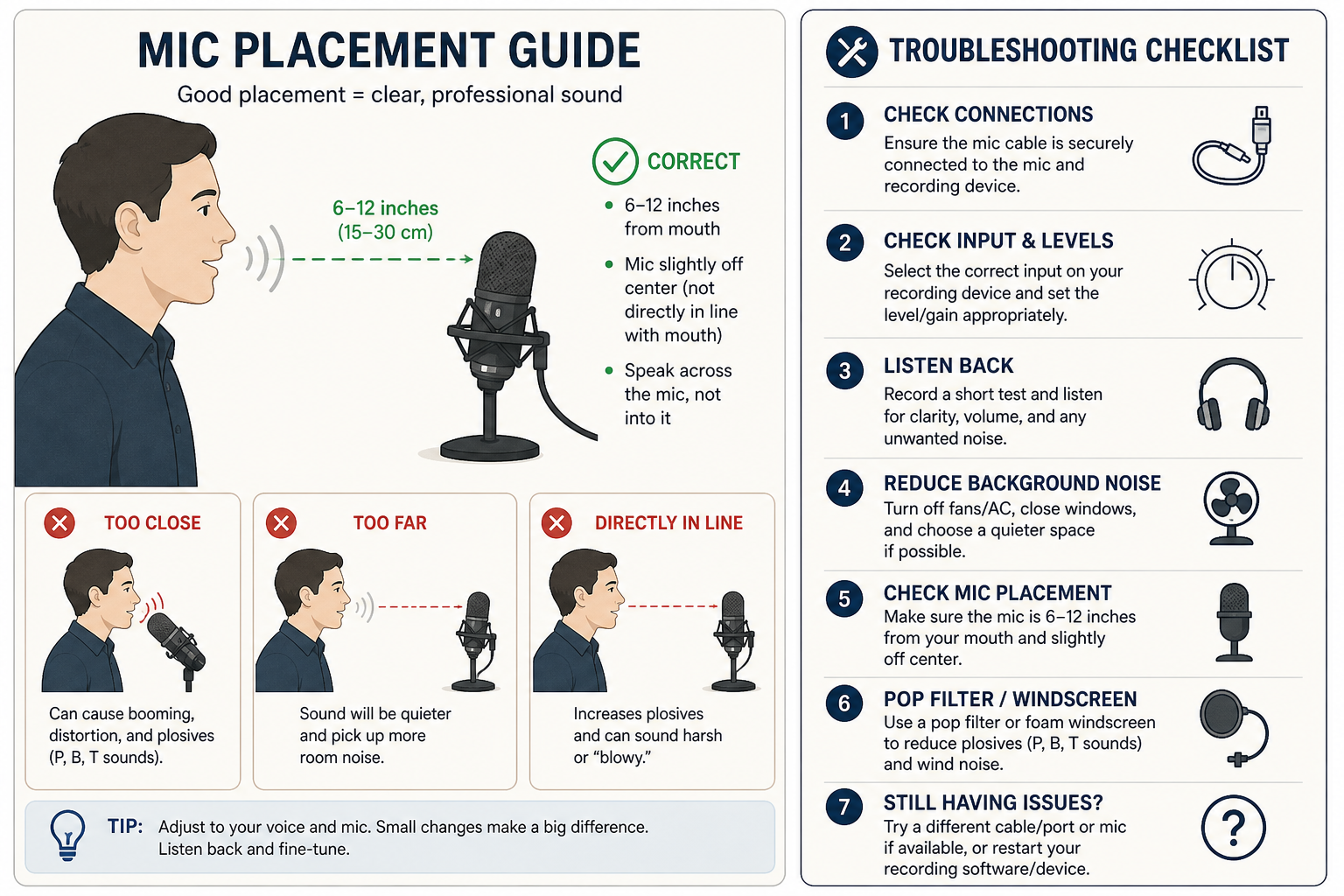
Common Mistakes
- Not checking adapter compatibility before the night — always verify your tablet’s port type in advance
- Using Bluetooth for audio when singing — the latency can make your voice feel noticeably out of sync with the music
- Holding the microphone too close to the speaker, which causes feedback
- Setting microphone gain too high rather than adjusting the channel volume
Quick Fixes
- Switch to a wired connection if Bluetooth latency is an issue
- Point the microphone away from the speaker and keep some distance between them
- Lower the gain and raise the channel volume — your voice will sound cleaner
- Test audio levels before guests arrive, not during the first song
- Use reverb sparingly; a little goes a long way
If something stops working, check cables first, then try a different device to isolate the problem, and confirm your audio output is routed to the correct device in your settings. If you’re using YouTube and the sound feels flat, a dedicated karaoke app will generally give you better results.
Cost and How to Decide
The main cost variables are upfront hardware and a recurring karaoke subscription — which replaces the old habit of buying individual CDs — plus whether you need the setup for one night or many.
- Casual singer (rare use): Hire a karaoke machine for the occasion — no hardware to store, no commitment.
- Party host (occasional use): An off-the-shelf machine is a predictable single purchase. Add a subscription service for track access.
- Enthusiast (frequent use): Build a custom home karaoke set and spread the cost across components over time, upgrading where it matters most.
A DIY setup costs more thought upfront but offers real flexibility. Off-the-shelf is simpler but harder to improve later. If you’re still unsure, we’re happy to help you work it out.
A solid home karaoke set is well within reach for most people. The key is matching your setup to how often you’ll use it and how much control you want over the sound. If you want something ready to go with minimal fuss, an off-the-shelf machine or karaoke machine hire is the quickest path. For something with more quality and flexibility, explore our premium hire options or start building your own system using the component guides above. For your track library, try Karafun — a straightforward subscription service that keeps your song selection current without any fuss.
Not sure where to start? Contact The Karaoke Company and we’ll point you in the right direction.